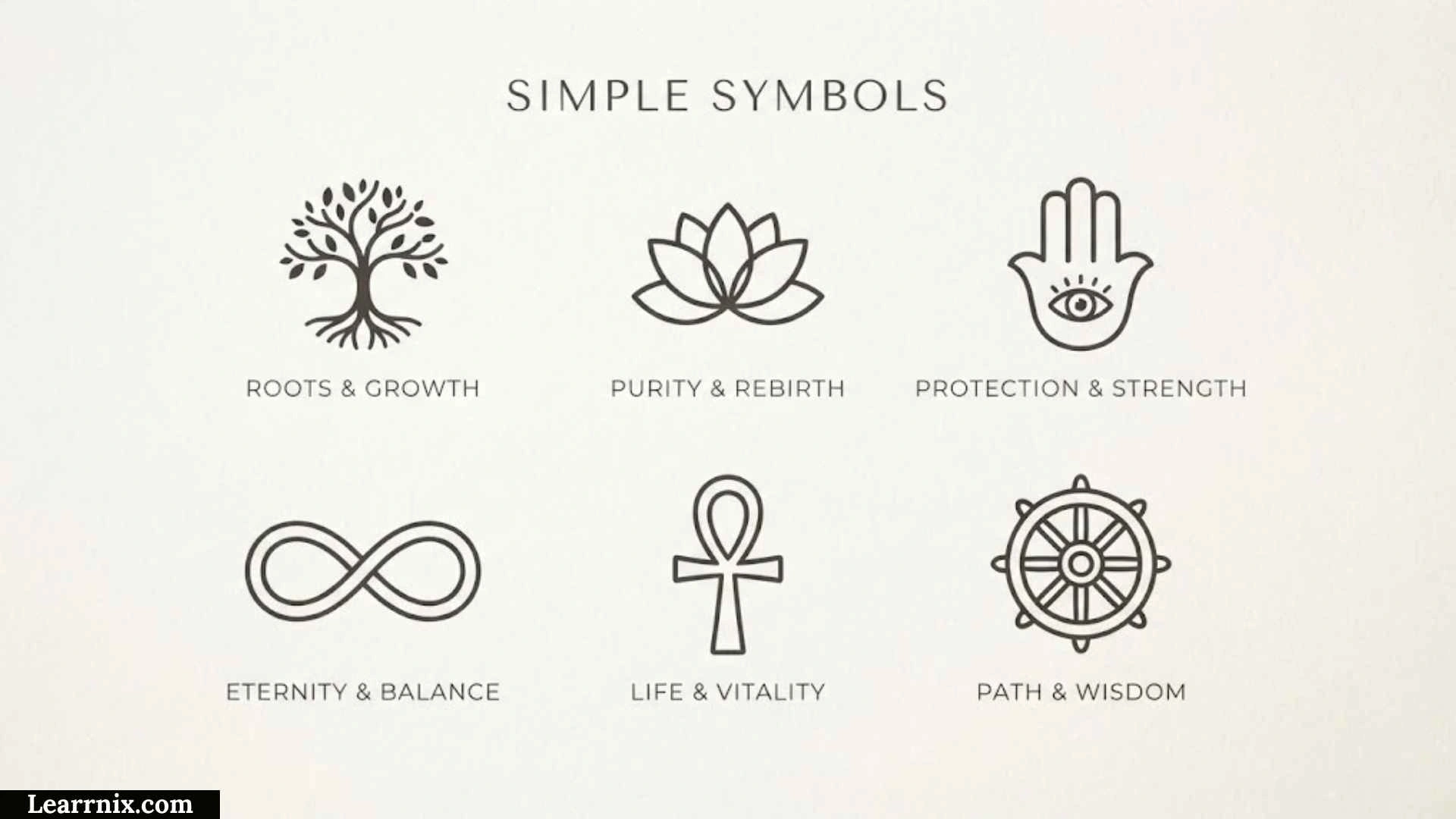
Simple symbols are small visual marks or characters that communicate an idea, action, relationship, object, or piece of information without requiring a full sentence. They appear in everyday writing, mathematics, technology, websites, maps, signs, business documents, social media, and digital communication.
If you are searching for simple symbols, you may want easy symbols to copy and paste, common symbols with meanings, keyboard symbols, mathematical signs, text symbols, or symbols for design. This guide covers all of these uses while also explaining an important distinction: a text character, symbol, icon, and public-information sign are related concepts, but they are not always the same thing.
Examples of familiar symbols include ✓, →, ★, ♥, +, =, ∞, ©, €, and √. Unicode maintains a large collection of symbols used for mathematical notation, currency, technical information, arrows, geometric shapes, pictographs, and many other purposes.
Quick Answer: What Are Simple Symbols?
Simple symbols are visual marks or characters that represent information, ideas, actions, objects, or relationships in a compact form.
Some common examples include:
| Symbol | Common Meaning | Typical Use |
| ✓ | Correct or complete | Checklists, tasks |
| ✗ | Incorrect or unavailable | Corrections, comparisons |
| → | Direction or next step | Instructions, processes |
| ← | Back or previous | Navigation |
| ↑ | Up or increase | Charts, directions |
| ↓ | Down or decrease | Charts, directions |
| + | Add or positive | Math, interfaces |
| − | Subtract or negative | Mathematics |
| × | Multiply | Mathematics |
| ÷ | Divide | Mathematics |
| = | Equal | Mathematics |
| ≠ | Not equal | Mathematics |
| % | Percentage | Numbers |
| $ | Dollar currency | Prices |
| € | Euro | Prices |
| £ | Pound | Prices |
| ₹ | Indian rupee | Prices |
| @ | At sign | Email, usernames |
| # | Number or hashtag | Text, social media |
| & | And | Business, writing |
| © | Copyright | Creative works |
| ® | Registered trademark | Branding |
| ™ | Trademark | Branding |
| ★ | Star or favorite | Ratings, design |
| ♥ | Love or affection | Messages, design |
The exact meaning of a symbol depends on context. For example, # may mean “number” in one setting and indicate a hashtag in another.
Why Simple Symbols Matter
Symbols make information easier to scan because they can communicate an idea without repeating a complete phrase.
Consider these two examples:
Task completed
✓
The second option is much shorter when the surrounding context already makes its meaning clear.
Symbols are particularly useful when:
- Space is limited.
- Information needs to be scanned quickly.
- A process needs visual direction.
- Mathematical relationships must be shown.
- Prices need currency identification.
- A website needs recognizable controls.
- A document needs visual organization.
- A public facility needs clear visual information.
Unicode describes symbols as characters that generally represent non-linguistic content in written form, including mathematical, currency, astronomical, technical, and other kinds of information.
The important point is that a symbol is not valuable simply because it looks attractive. Its main purpose is to communicate something efficiently.
Simple Symbols vs. Characters, Icons, and Signs
One of the most useful ways to understand simple symbols is to separate related terms.
What Is a Symbol?
A symbol represents an idea, concept, object, relationship, or other information.
Examples include:
∞ for infinity
€ for euro
♥ for a heart or love
≠ for not equal
Symbols can exist as text characters or as graphical elements.
What Is a Character?
A character is a unit of written information that can be represented in a character-encoding system.
Letters, numbers, punctuation, and many symbols are characters.
Unicode explains that its standard provides the basis for processing, storing, and exchanging text data across modern software and information systems.
This means a symbol such as © can be represented as a Unicode character and copied as text.
What Is an Icon?
An icon is usually a small graphic that visually represents an object, action, or function.
Examples include:
- A magnifying glass for search
- A trash can for delete
- A house for home
- A printer for printing
An icon is often graphical rather than a simple text character.
What Is a Sign?
A sign communicates information or guides behavior.
Examples include:
- Exit signs
- Direction signs
- Accessibility signs
- Public-information signs
- Transportation signs
International standards also exist for graphical signs. ISO 7001:2023 specifies registered graphical symbols for public information and notes that such symbols can be used with text to improve comprehension.
Why the Difference Matters
These terms overlap, but they should not be treated as exact synonyms.
| Term | Main Function | Example |
| Character | Encoded unit of text | © |
| Symbol | Represents an idea or information | ∞ |
| Icon | Represents an object or digital action visually | Search icon |
| Sign | Communicates public information or directs behavior | Exit sign |
This distinction becomes especially useful when discussing Unicode symbols, web design, typography, accessibility, and standardized signage.
Common Simple Symbols and Their Meanings
Check Mark Symbols ✓ ✔ ☑
Check marks commonly communicate:
- Correct
- Complete
- Approved
- Selected
- Verified
- Done
Examples:
✓ Order confirmed
✓ Payment received
☑ I agree
A check mark is especially effective in lists and forms because readers can understand the status at a glance.
Cross Symbols ✗ ✘
Cross marks often indicate:
- Incorrect
- No
- Failed
- Cancelled
- Unavailable
- Rejected
For example:
✗ Incorrect answer
✘ Service unavailable
The exact meaning depends on the surrounding information.
Arrow Symbols → ← ↑ ↓
Arrows are among the most useful simple symbols because they communicate relationships and direction.
Common examples include:
→ right, next, or leads to
← left, back, or previous
↑ up or increase
↓ down or decrease
↔ two-way relationship
↕ vertical movement
For example:
Choose a plan → Enter payment details → Confirm order
The arrows turn a paragraph into a simple visual process.
Unicode contains extensive arrow and mathematical symbol collections.
Plus and Minus Symbols + −
The plus sign (+) can mean:
- Addition
- Positive
- Add
- Increase
The minus sign (−) can mean:
- Subtraction
- Negative
- Remove
- Decrease
For example:
8 + 4 = 12
15 − 6 = 9
In software interfaces, the same symbols may be used for adding an item or expanding a section and removing an item or collapsing information.
Multiplication and Division × ÷
These mathematical symbols are commonly used in arithmetic.
6 × 4 = 24
24 ÷ 6 = 4
Using × rather than the letter x makes the mathematical operation more explicit.
Equal and Not Equal Symbols = ≠
The equal sign means that two expressions have the same value:
5 + 5 = 10
The not-equal sign means that two values are different:
5 ≠ 8
These symbols are primarily mathematical, although the equal sign can also be used informally in other contexts.
Simple Symbols for Text and Messaging
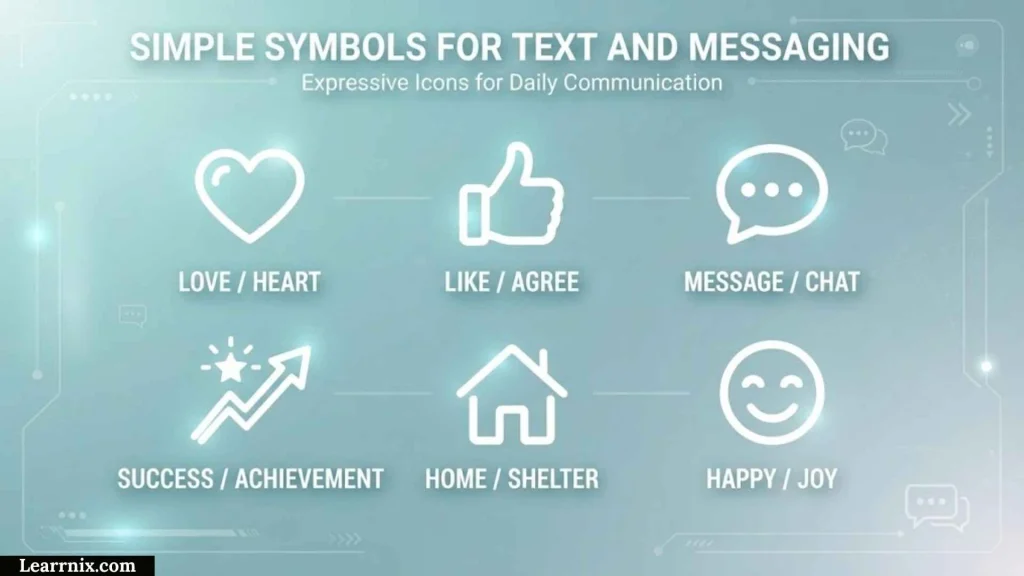
Some symbols are especially common in everyday digital communication.
Heart Symbols ♥ ♡ ❤
Heart symbols can communicate:
- Love
- Affection
- Appreciation
- Friendship
- Support
Examples include:
♥
♡
❤
The visual style can change between fonts and platforms.
A heart used in a personal message may communicate emotion, while the same shape in a website interface may indicate a favorite or saved item.
Star Symbols ★ ☆ ✦ ✧
Stars can be used for:
- Favorites
- Ratings
- Important items
- Achievement
- Decoration
- Highlights
For example:
★★★★★
may represent a five-star rating.
However, a decorative star does not automatically mean “five-star quality.” Context determines the meaning.
Bullet Symbols • ◦ ▪ ▫
Bullet symbols help organize information:
• First point
• Second point
• Third point
They are useful when the order of items does not matter.
If order does matter, numbered lists are usually more appropriate.
Keyboard Symbols and Their Uses
Many characters that people call “keyboard symbols” are used regularly in writing and computing.
| Symbol | Common Name | Common Uses |
| @ | At sign | Email, mentions |
| # | Number sign | Numbers, hashtags |
| & | Ampersand | “And,” business names |
| * | Asterisk | Notes, multiplication, wildcards |
| _ | Underscore | File names, usernames |
| / | Slash | URLs, alternatives, division |
| Backslash | Computing | |
| | | Vertical bar | Computing, separation |
| ~ | Tilde | Approximation, computing |
| ^ | Caret | Mathematics, editing, computing |
| ` | Backtick | Programming |
| % | Percent sign | Percentages |
| $ | Dollar sign | Currency, programming |
An important technical detail is that not every familiar keyboard symbol is classified by Unicode as a Symbol. Unicode’s General Category distinguishes punctuation from symbols, and some familiar characters such as #, &, @, and % are categorized as punctuation even though they are often used symbolically.
This is a useful distinction for anyone researching symbols from a technical or Unicode perspective.
Mathematical Simple Symbols
Mathematics relies heavily on symbols because they allow relationships to be expressed in a compact form.
Common mathematical symbols include:
| Symbol | Meaning |
| + | Addition |
| − | Subtraction |
| × | Multiplication |
| ÷ | Division |
| = | Equal |
| ≠ | Not equal |
| < | Less than |
| > | Greater than |
| ≤ | Less than or equal to |
| ≥ | Greater than or equal to |
| ≈ | Approximately equal |
| √ | Square root |
| ∞ | Infinity |
| π | Pi |
| % | Percent |
For example:
10 > 7
means 10 is greater than 7.
x ≠ 0
means x is not equal to zero.
√25 = 5
uses the square-root symbol to express a mathematical operation.
Unicode maintains dedicated collections for mathematical operators, arrows, geometric symbols, mathematical alphanumeric characters, and other mathematical notation.
Currency Symbols
Currency symbols are among the most recognizable symbols in everyday life.
| Symbol | Common Association |
| $ | Dollar |
| € | Euro |
| £ | Pound |
| ¥ | Yen or yuan |
| ₹ | Indian rupee |
| ₩ | South Korean won |
| ₽ | Russian ruble |
| ₺ | Turkish lira |
| ₦ | Nigerian naira |
| ₫ | Vietnamese đồng |
One important point is that a symbol does not always uniquely identify a currency.
For example, $ can represent different dollar currencies depending on the country and context.
When exact identification matters, a currency code such as USD, CAD, or AUD can be clearer than the dollar sign alone.
Unicode includes dedicated currency-symbol collections, including dollar, euro, yen, pound, cent, and many other currency signs.
Communication Symbols
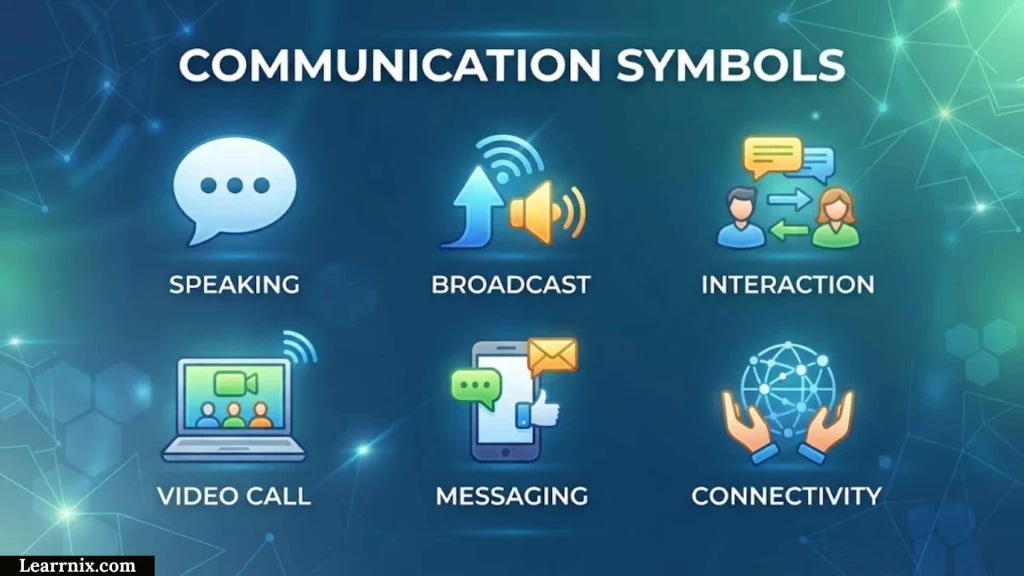
@ At Sign
The @ symbol is widely used in email addresses.
Example:
name@example.com
It is also used for usernames and mentions on many online platforms.
Although people commonly call it a symbol, Unicode classifies the commercial at sign under punctuation. This demonstrates why everyday terminology and technical classification are not always identical.
# Number Sign
The # symbol has several uses.
It can mean:
- Number
- Hashtag
- Label
- Identifier
Examples:
#5
#Travel
#12345
Its meaning comes from context.
& Ampersand
The & symbol represents and.
Examples include:
Research & Development
Johnson & Sons
The ampersand is especially common in company names, headings, branding, and compact writing.
Simple Symbols for Websites and User Interfaces
Symbols and icons are common in website interfaces because users often need to recognize an action quickly.
Examples include:
| Symbol/Icon | Common Function |
| + | Add |
| × | Close |
| ← | Back |
| → | Forward |
| 🔍 | Search |
| ♥ | Favorite |
| ★ | Rating |
| ⟳ | Refresh |
| ☰ | Menu |
| ↗ | Open or external link |
When Should You Add Text?
A symbol may seem obvious to its designer but confusing to a first-time user.
For an important action, combining a visual symbol with a text label can make the purpose clearer.
For example:
🗑 Delete
can be more explicit than displaying only a trash icon.
This is particularly useful when an action could have serious consequences.
Why Context Matters in Interface Design
The same symbol can have different meanings.
For example:
+
might mean:
- Add
- Increase
- Expand
- Positive
- Addition
The surrounding interface determines which interpretation is correct.
Public Information Symbols
Simple symbols are also used outside digital text.
Public spaces often use graphical symbols to communicate information quickly to people who may speak different languages.
Examples can include symbols for:
- Restrooms
- Accessibility
- Information desks
- Transportation
- Facilities
- Public services
ISO 7001:2023 is an international standard for registered public-information graphical symbols. It applies broadly to public-information symbols in places where the public has access, while safety signs and some regulated sectors are handled separately. ISO also states that these symbols may be combined with text to improve comprehension.
The standard has also received amendments in 2026, including amendments published in May, June, and July 2026.
This is an important example of how symbols can move beyond informal communication into standardized information systems.
Simple Symbols for Copy and Paste
If you need symbols for a document, message, website, caption, or design, these groups provide a useful starting point.
Check and Status
✓ ✔ ☑ ☐ ✗ ✘
Arrows
→ ← ↑ ↓ ↔ ↕ ⇒ ⇐ ⇑ ⇓ ↗ ↘ ↙ ↖
Stars
★ ☆ ✦ ✧ ✩ ✪
Hearts
♥ ♡ ❤ ❥ ❣
Shapes
● ○ ■ □ ▲ △ ◆ ◇
Mathematics
+ − × ÷ = ≠ < > ≤ ≥ ≈ ∞ √ π
Currency
$ € £ ¥ ₹ ₩ ₽ ₺ ₦ ₫
Copyright and Trademark
© ® ™
Common Keyboard Characters
@ # & % * _ / \ | ~ ^ `
The important thing is to check whether the character fits the intended meaning. Copying a symbol simply because it looks attractive can create confusion if the audience interprets it differently.
Unicode and Simple Symbols
Unicode is important whenever symbols need to work as digital text.
The Unicode Standard provides a common encoding system for characters used across modern software and information systems. It includes letters and numbers as well as punctuation, technical symbols, mathematical notation, currency signs, pictographs, and many other characters.
Why Unicode Helps
Suppose you copy:
©
from one document and paste it into another.
Because it is a standardized character, software can identify and process the character rather than treating it as an arbitrary picture.
Unicode 18.0 contains extensive character charts covering mathematical symbols, arrows, geometric shapes, currency symbols, technical symbols, pictographs, game symbols, and many other collections.
Symbol vs. Graphic
Not every visual symbol should be encoded as a text character.
Unicode explains that some graphical signs are not appropriate for encoding as characters, particularly graphics for which there is no demonstrated need to exchange them as plain text.
This explains why a text symbol and a visual sign can look similar while functioning differently.
Simple Symbols vs. Emojis
Symbols and emojis overlap, but they are not identical.
A traditional text symbol might be:
©
∞
✓
An emoji may be:
❤️
⭐
🚀
Emoji are pictographic characters used heavily in digital communication. Unicode includes emoji and pictographic collections alongside many other symbol categories.
Why Their Appearance Changes
The same Unicode character may appear differently depending on:
- Operating system
- Font
- Application
- Device
- Rendering system
- Emoji presentation
Therefore, the underlying character and its visual appearance should not be treated as exactly the same thing.
Simple Symbols, Punctuation, and Typography
A common misconception is that every non-letter character is a symbol.
That is not technically correct.
Unicode explains that punctuation marks are generally used to structure or clarify text, while symbols generally carry a meaning of their own. However, the distinction is not absolute. Characters such as #, &, @, and % are classified as punctuation in Unicode even though people often use them as symbols.
For example:
- . = punctuation
- , = punctuation
- ? = punctuation
- ♥ = symbol
- © = symbol
- ∞ = symbol
- # = Unicode punctuation category, although commonly used symbolically
Context can also affect how a character functions. Unicode notes, for example, that ! can be interpreted differently in ordinary text and mathematical contexts.
Historical Development of Symbols
Symbols existed long before computers and smartphones.
Ancient writing systems used marks to represent ideas, quantities, religious concepts, ownership, trade, astronomy, and other forms of information.
Modern mathematical notation developed gradually as scholars adopted standardized marks for operations and relationships.
Later, printing, telegraphy, typewriters, computer keyboards, and digital encoding systems expanded the number of symbols people could use.
Unicode brought another major change by providing a common encoding framework for characters across writing systems and technical domains.
This history explains why today’s “simple symbols” can include everything from an ancient sign to a mathematical operator or a modern digital character.
Real-World Examples of Simple Symbols
The best way to understand symbols is to see how they work in real situations.
Example 1: Online Shopping
A shopping website might use:
✓ In stock
$29.99
→ Continue to checkout
Three symbols communicate three different types of information: status, price, and action.
Example 2: Classroom Worksheet
A teacher might mark an answer:
✓ Correct
or
✗ Try again
The symbols provide immediate visual feedback.
Example 3: Business Document
A company document might contain:
© 2026 Company Name
The copyright symbol communicates information about the work’s legal status without requiring a longer phrase.
Example 4: Mathematics
A student may see:
12 ÷ 3 = 4
The symbols express an entire mathematical relationship in a compact format.
Example 5: Website Navigation
A website might display:
← Back
This combination makes the action more explicit than using an arrow alone.
Example 6: Public Facility
A public building may use standardized graphical symbols to help visitors identify facilities without relying entirely on language. Standards such as ISO 7001 are designed specifically for this kind of public information.
How to Choose the Right Simple Symbol
Choosing a symbol should begin with the meaning you need to communicate, not its appearance.
For a Checklist
Use:
✓ ✔ ☑ ☐
These are suitable when the audience needs to understand completion or selection.
For Direction
Use:
→ ← ↑ ↓
These work well for movement, sequence, navigation, and process diagrams.
For Mathematics
Use the mathematically appropriate operator.
For example:
× for multiplication
÷ for division
− for subtraction
For Money
Use the correct currency symbol when the currency is obvious.
If confusion is possible, add the currency code.
For example:
$100 USD
is clearer than simply:
$100
when an international audience is involved.
For Public Information
Use a recognized or standardized graphical symbol when one exists instead of inventing a new design. ISO 7001 is specifically intended for registered public-information symbols.
For Decoration
Stars, hearts, shapes, and other decorative characters can add visual style, but they should not replace important explanatory text.
Common Mistakes When Using Simple Symbols
Using a Symbol Without Context
A symbol can be ambiguous.
For example, + may mean addition, positive, add, increase, or expand.
A short label can remove the ambiguity.
Assuming Every Symbol Has One Universal Meaning
Meaning can vary between countries, industries, software platforms, and cultures.
A symbol used in mathematics may have no relationship to the meaning it has in a social-media interface.
Replacing Important Words With Symbols
Symbols should improve communication, not make it harder.
For example, an important warning should not rely on an unfamiliar decorative symbol alone.
Confusing Text Characters With Icons
A Unicode character such as © can be copied as text, while a custom website icon may be an image, SVG, or interface graphic.
They are technically different objects.
Ignoring Display Support
A character can exist in Unicode but still display differently—or fail to display as intended—depending on font and software support.
This is particularly important when using less common symbols.
Using Nonstandard Public Signs
For public information, creating a new symbol may be less effective than using a recognized standard. ISO 7001 exists partly to provide consistent graphical symbols for public-information purposes.
A Simple Decision Guide for Choosing Symbols

Use this quick process:
What do you want to communicate?
↓
Mathematical operation?
→ Use +, −, ×, ÷, =, ≠.
Direction or sequence?
→ Use →, ←, ↑, ↓.
Task status?
→ Use ✓, ✔, ☑, ☐.
Currency?
→ Use the appropriate currency sign and add a currency code if needed.
Website action?
→ Use a familiar icon and consider adding a text label.
Public information?
→ Use an appropriate standardized graphical symbol when available.
Personal or decorative expression?
→ Use hearts, stars, shapes, or other decorative symbols.
This simple framework helps prevent a common mistake: choosing a symbol based on appearance instead of meaning.
Best Practices for Using Simple Symbols
A good symbol should make information faster to understand, not harder.
Follow these practices:
- Choose meaning before appearance.
- Use familiar symbols when possible.
- Add text when a symbol could be ambiguous.
- Use mathematical notation consistently.
- Use currency codes when a currency sign is unclear.
- Check whether the character is supported by the target platform.
- Do not rely only on decorative symbols for important instructions.
- Use standardized public-information symbols where appropriate.
- Keep symbol use consistent throughout a document or interface.
- Consider your audience before using uncommon characters.
Consistency is particularly important in websites, forms, dashboards, educational material, and technical documentation.
Frequently Asked Questions About Simple Symbols
What Are Simple Symbols?
Simple symbols are marks or characters that communicate ideas, actions, objects, relationships, or information in a compact visual form. Examples include ✓, →, ♥, %, €, ©, and ∞.
What Are Some Common Simple Symbols?
Common examples include check marks, arrows, stars, hearts, mathematical signs, currency symbols, copyright marks, and communication characters such as @ and #.
What Does ✓ Mean?
A check mark commonly means correct, complete, approved, selected, or verified. Its exact meaning depends on context.
What Does → Mean?
The right arrow commonly indicates direction, movement, the next step, continuation, or a relationship between two items.
What Does ♥ Mean?
The heart symbol commonly represents love, affection, appreciation, friendship, or emotional support.
What Does @ Mean?
The @ character is widely used in email addresses, usernames, and online mentions.
What Does # Mean?
The # character can represent a number or function as a hashtag, depending on context.
What Are Simple Mathematical Symbols?
Examples include +, −, ×, ÷, =, ≠, <, >, ≤, ≥, √, π, and ∞.
What Are Simple Symbols for Copy and Paste?
Useful copy-and-paste symbols include:
✓ ✔ ✗ → ← ↑ ↓ ★ ☆ ♥ ♡ ◆ ◇ + − × ÷ = ≠ © ® ™ € £ ₹
Are Simple Symbols the Same as Emojis?
No. There is overlap, but emojis are pictographic characters designed for digital communication, while many symbols are used for mathematics, currency, technical notation, writing, or other purposes. Unicode maintains separate collections and classifications for many of these uses.
Are All Symbols Unicode Characters?
No. Unicode encodes many symbols as characters, but not every graphical sign or visual symbol is appropriate for encoding as plain text. Unicode specifically notes that some graphical signs are better treated as graphics rather than characters.
Why Do Symbols Look Different on Different Devices?
The underlying character may be the same while its appearance changes because of different fonts, operating systems, applications, or rendering systems.
Are Symbols and Punctuation the Same?
No. Unicode has separate General Category classifications for punctuation and symbols, although some characters used symbolically are classified as punctuation.
What Is the Difference Between a Symbol and an Icon?
A symbol can be a text character or graphic representing an idea or concept. An icon is usually a visual representation of an object, function, or action, especially in digital interfaces.
What Is the Difference Between a Symbol and a Sign?
A symbol can communicate an idea or concept, while a sign is generally designed to provide information or guide behavior. Public-information signs may follow standards such as ISO 7001.
Why Are Simple Symbols Useful?
They save space, improve scanning, communicate relationships quickly, support visual organization, and can help people understand information without reading a long explanation.
Key Takeaways
Simple symbols are much broader than a list of decorative characters.
They include symbols used for:
- Mathematics
- Currency
- Communication
- Navigation
- Technology
- Websites
- Education
- Business
- Public information
- Digital messaging
- Typography
- Technical notation
The most useful examples include ✓ for status, → for direction, + and − for mathematical operations, € and $ for currency, © for copyright, and ♥ for affection.
The deeper lesson is that meaning depends on context. A symbol should be selected according to what you need it to communicate, who will see it, and where it will be used.
For digital text, Unicode provides a standardized framework for a very broad range of characters and symbols. For public information, ISO 7001 provides a separate standardized approach to graphical symbols.
References
- Unicode Consortium — Punctuation and Symbols FAQ: Explains the technical difference between punctuation and symbols and why some familiar characters can cross the boundary depending on use.
- Unicode Consortium — Unicode 18.0, Chapter 22: Symbols: Provides the formal overview of symbols in the Unicode Standard.
- Unicode Consortium — Basic Questions: Explains Unicode’s role as a universal character-encoding standard for modern text processing and interchange.
- Unicode Consortium — Unicode 18.0 Character Code Charts: Provides official charts covering mathematical symbols, arrows, currency symbols, geometric shapes, technical symbols, pictographs, and other character collections.
- ISO — ISO 7001:2023: Official international standard for registered public-information graphical symbols.
- ISO — 2026 Amendments to ISO 7001:2023: Official records for amendments published in 2026.
Conclusion
Simple symbols are an efficient way to communicate information visually. A check mark can show completion, an arrow can show direction, a mathematical sign can express a relationship, and a currency symbol can identify money.
But symbols are not all the same. Some are Unicode characters, some are mathematical notation, some are punctuation used symbolically, some are icons, and others are standardized graphical signs for public information.
For the best results, choose a symbol based on meaning, context, audience, and purpose. When a symbol could be misunderstood, pair it with clear text. When a standardized symbol exists, especially in public-information settings, use the established form rather than inventing a new one.
That approach makes simple symbols not only attractive, but genuinely useful.

I am Daniel Harper, an education enthusiast and writer who enjoys creating helpful content to make learning more accessible and engaging.
I focus on sharing knowledge about effective study methods, educational growth, and skills that help learners succeed in a changing world.
Through my writing, I aim to inspire students to explore new ideas and develop a passion for learning.
Books by Daniel Harper:
- The Path to Lifelong Learning
- Unlocking Your Learning Potential
 Michael Carter
 Charlotte Anderson