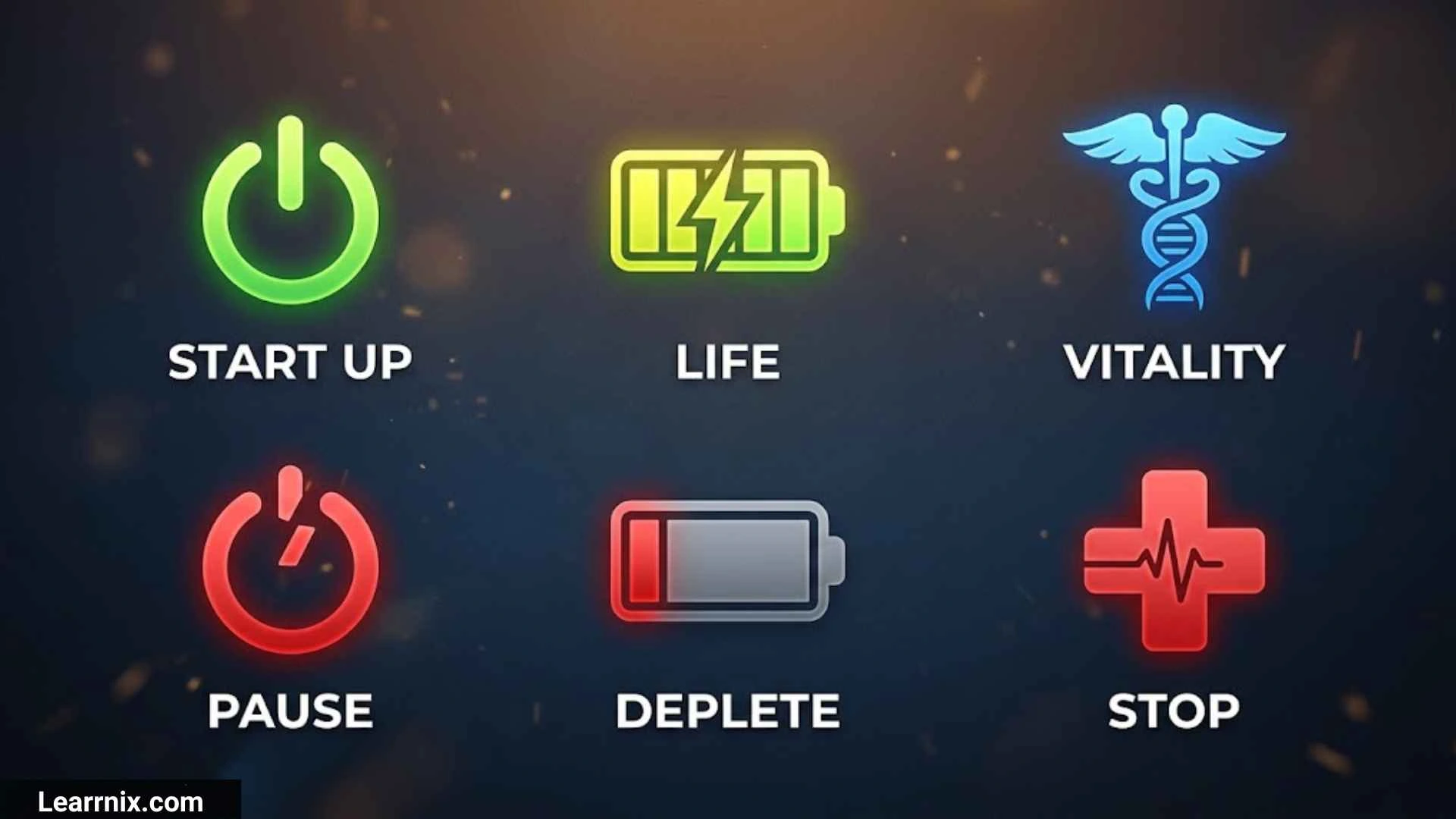
On off symbols help people understand power controls without needing long instructions. You can find them on computers, electrical switches, power supplies, household appliances, generators, and many other devices. The most familiar examples are ⏻, ⏼, ⏽, and ⭘, each associated with a particular power-related function.
Although these symbols look similar, they do not all mean exactly the same thing. Some identify a general power control, some represent the on state, and others are associated with the off or sleep state. Understanding the differences can help you choose the right symbol for a website, recognize a switch on a device, or read an electrical diagram more confidently.
In this guide, you will learn the meanings of on off symbols, their Unicode names and codes, their uses in wiring and circuit diagrams, and how they appear on computers, toggle switches, power supplies, and small engines. You will also find copy-and-paste symbols, practical examples, and answers to common questions.
What are the On Off Symbols
On off symbols are markings that identify power controls or communicate whether a device or circuit is active. They are designed to make controls easier to recognize, even when users speak different languages.
The most useful symbols to know are listed below.
| Symbol | Name Or Label | Common Use |
| ⏻ | Power Symbol | Power button or general power control |
| ⏼ | Power On-Off Symbol | Combined on/off power control |
| ⏽ | Power On Symbol | Indicates the on state |
| ⭘ | Heavy Circle | Used to represent the off function in power-symbol references |
| ⏾ | Power Sleep Symbol | Sleep or low-power function |
| I | On marking | On position of a conventional switch |
| O | Off marking | Off position of a conventional switch |
| I/O | On/off marking | Labeling for a two-state power switch |
The first five entries are Unicode characters or symbols, while I, O, and I/O are ordinary text characters commonly used on physical controls. Their appearance and interpretation can vary with the product and its labeling.
Quick copy and paste: ⏻ ⏼ ⏽ ⭘ ⏾
For everyday digital content, ⏻ is a useful choice when you need a recognizable power icon. For an actual electrical switch, use the markings and instructions supplied by the manufacturer.
On Off Symbols Meaning
The meaning of an on off symbol depends on its shape and the function it represents. The line-and-circle convention is associated with the binary values 1 and 0, which are commonly used for active and inactive states.
Here is how the main symbols differ.
- ⏻ — Power Symbol: Commonly used to identify a power button or control. It is also associated with standby conventions in technical references, so the exact action depends on the equipment.
- ⏼ — Power On-Off Symbol: Represents a combined power on/off function.
- ⏽ — Power On Symbol: Identifies the on function or on state.
- ⭘ — Heavy Circle: Used as a power-off symbol in the Unicode character reference.
- ⏾ — Power Sleep Symbol: Represents a sleep-related power function.
The familiar letters I and O have a simpler role on many rocker switches. I indicates the on position, while O indicates the off position.
These distinctions are especially useful when working with computers and electronic appliances. A power button may request that a computer shut down, while a separate switch may disconnect or disable its power supply. Similarly, a sleep function may leave some components active even when the screen is dark.
Never assume that a symbol alone confirms that a device is electrically isolated. For maintenance or repair, follow the product’s safety instructions.
On Off Symbols Electrical
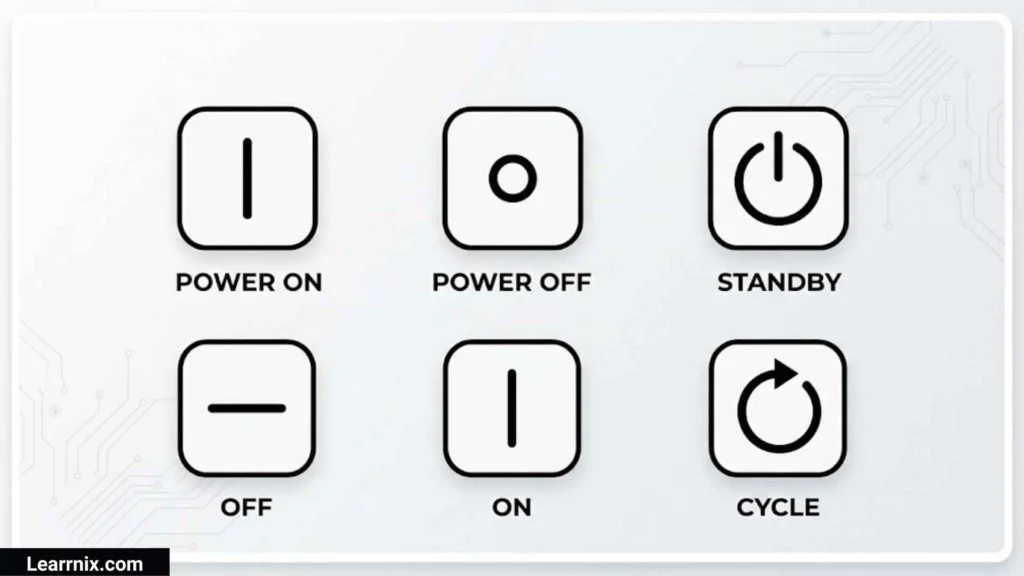
Electrical on off symbols appear on appliances, power strips, industrial control panels, circuit breakers, and electronic equipment. They identify controls and help users understand the intended operating state.
Common electrical markings include I, O, ⏻, ⏼, and ⏽. However, the symbol does not tell you everything about the electrical component. It does not specify its voltage rating, current capacity, number of poles, or suitability for a particular circuit.
For example, a switch marked I/O may control a small appliance, whereas an industrial isolator may have additional markings and safety requirements. Both can have on and off positions, but they serve different purposes.
When identifying an electrical switch, check:
- The manufacturer’s model number and documentation.
- The voltage and current ratings.
- The number of terminals and contact arrangement.
- The circuit diagram and relevant safety markings.
- Whether the switch controls power, selects a mode, or operates a separate control circuit.
If you are replacing a switch, match its electrical specifications and switching function rather than choosing one based only on the printed icon.
On Off Symbols Wiring
In wiring diagrams, on/off symbols and switch-contact symbols help explain how electrical connections are made or interrupted. These circuit representations are different from the decorative power icon found on the outside of a device.
A simplified switch circuit has a supply, a switch, and a load. When the switch contacts are closed, the circuit path can be completed. When the contacts are open, that path is interrupted.
Important wiring terms include:
- Open contact: The contact path is interrupted in the state shown.
- Closed contact: The contacts form a connected path.
- Normally open (NO): The contacts are open in their specified normal, unoperated state.
- Normally closed (NC): The contacts are closed in their specified normal, unoperated state.
- Terminal: A connection point for a conductor.
- Load: The component or equipment receiving electrical power.
The terms normally open and normally closed are particularly important for relays and control circuits. They describe the defined normal state of the contacts, not necessarily the state a user informally calls on or off.
When reading a wiring diagram, use the symbol legend, terminal labels, and manufacturer’s instructions. Do not infer which wire connects where from a power icon alone. Electrical wiring should be handled by someone qualified to work on the specific installation.
On/Off symbol io
The I/O marking is a common way to label a physical power switch. It is especially familiar on desktop computer power supplies, monitors, laboratory equipment, and household electronics.
The characters are simple:
- I — On.
- O — Off.
- I/O — A combined marking associated with on/off control.
On a typical rocker switch, pressing the side marked I enables the device, while pressing the side marked O disables it. The exact action still depends on how the switch is connected and what it controls.
There is also a difference between the text marking and a dedicated Unicode symbol. The letters I and O are ordinary Latin characters, while ⏻ and ⏼ are specific Unicode power symbols.
If you are creating a website, instruction sheet, or product description, use I/O when discussing the traditional switch marking. Choose a dedicated power character when you need an icon for a digital interface.
Switch On/Off Symbol In Circuit
A switch symbol in a circuit diagram represents the electrical contacts and their switching function. It may look different from the power icon printed on the outside of an appliance.
A basic single-pole switch controls one circuit path. When its contacts close, current can flow if the rest of the circuit is complete. When the contacts open, that path is interrupted.
Several types of switches may appear in electrical diagrams:
| Switch Type | Main Function |
| Single-pole switch | Controls one circuit path |
| Double-pole switch | Switches two circuit paths together |
| Changeover switch | Selects between alternative connections |
| Push-button switch | Operates through a pressing action |
| Toggle switch | Changes position using a lever |
| Relay contact | Is operated by a relay mechanism |
The drawing also depends on whether the diagram shows the switch in its normal state or an operated state. A normally open contact may be drawn open even though the associated machine can close it during operation.
For this reason, circuit symbols should be read alongside their labels and diagram conventions. The power symbol tells you about the control’s general purpose, whereas the circuit symbol explains how the electrical connection works.
On And Off Symbols Circle And Line

The circle-and-line design is one of the best-known visual conventions for power controls. It draws on the association between binary 0 and 1 and the off and on states.
The main elements are:
- O: The letter O is used to mark off on conventional I/O switches.
- I: The letter I marks the on position on conventional I/O switches.
- ⏻: A combined power-control symbol.
- ⏽: A dedicated on symbol.
- ⭘: A heavy circle associated with the off function in the Unicode power-symbol references.
These characters are related in meaning but are not interchangeable in every context. For example, ○ is a general open-circle character, while ⭘ is the heavy circle identified in power-symbol references. The dedicated character ⏻ has the Unicode name POWER SYMBOL.
If you need a power icon for a graphic or web page, choose the character that matches the function you want to communicate. For physical equipment, follow the actual switch markings rather than relying on a visual resemblance between symbols.
Universal On Off Symbols
Some on/off symbols are recognized internationally because they communicate a familiar function without relying on written language. The power symbol, I/O markings, and dedicated on and off characters are useful examples.
Here are the main options for different situations:
| Purpose | Recommended Symbol Or Marking |
| General power button | ⏻ |
| Combined on/off function | ⏼ |
| On-state indicator | ⏽ |
| Off-function symbol | ⭘ |
| Sleep-related function | ⏾ |
| Traditional switch labeling | I / O |
The term universal does not mean that every symbol is used identically on every product. A symbol’s function can depend on its technical standard, placement, and the equipment’s design.
For websites and applications, combining an icon with a text label such as “Power,” “On,” or “Off” makes the control clearer. It also helps people who may not recognize the icon immediately.
If you are publishing these characters online, test them on different browsers and devices. Unicode support is widespread, but the shape can vary by font, and some environments may not display every character correctly.
European On Off Symbols
European electrical products commonly use familiar international power markings, including I, O, and dedicated power icons. These markings appear on computer power supplies, appliances, monitors, and various electronic devices.
A product sold in Europe may display:
- I for the on position.
- O for the off position.
- ⏻ for a power button.
- A separate sleep or standby marking for a reduced-power function.
These are not exclusively European symbols. Many products use the same markings across multiple markets, depending on the applicable technical standards and product design.
For example, a desktop computer power supply may have an I/O rocker switch on the rear panel. Setting it to I enables the supply, but the computer may still need its front power button pressed to start. Setting it to O disables the supply’s normal operation.
An off marking does not always mean that every internal component is disconnected from all electrical energy. Follow the manufacturer’s instructions when unplugging, servicing, or isolating equipment.
Choke On Off Symbols
A choke control is commonly found on petrol-powered small engines, including lawn mowers, generators, chainsaws, and garden trimmers. It helps the engine start when cold by changing the air-fuel mixture. The control may use text, pictograms, or a lever rather than a standard Unicode on/off symbol.
| Choke Setting | Typical Function |
| Choke on | Helps provide a richer mixture for cold starting |
| Choke off | Returns the engine to its normal running mixture |
| Half choke | May support the warm-up process on certain models |
A cold engine may need the choke engaged before starting. Once the engine runs smoothly, the choke is usually moved toward the off position according to the manufacturer’s instructions. Leaving it on too long can cause rough running or excessive fuel consumption.
The word choke can also refer to an electrical inductor used to reduce unwanted current variations or electrical interference. In that context, choke does not mean an engine-starting control, and its function is unrelated to the usual choke lever on a lawn mower.
Always identify the correct control before operating machinery. Some engines have automatic choke systems, while others use manual levers with model-specific markings.
Toggle Switch On Off Symbols
A toggle switch uses a lever to change an electrical connection between two or more positions. It is commonly found on lamps, workshop equipment, electrical panels, and machinery.
Typical toggle switch markings include:
- I — On.
- O — Off.
- ON — The enabled position.
- OFF — The disabled position.
- ⏻ — A power-control symbol sometimes used near a switch.
A two-position toggle switch generally has an on position and an off position. A three-position switch may use I–O–II, where the center position is off and the other positions select different operating modes. Always check the product label because the arrangement varies.
Toggle switches can also be maintained or momentary. A maintained switch stays in its selected position until moved again, while a momentary switch returns to its resting position when released.
When replacing a toggle switch, check its voltage and current ratings, contact arrangement, mounting dimensions, and intended use. Matching the appearance alone is not enough to ensure that the replacement is suitable.
Electrical Switch On Off Symbols
Electrical switches use on/off markings to help users identify their operating positions. These markings can appear on wall switches, power strips, industrial controls, circuit breakers, and electronic products.
| Marking | Common Interpretation |
| I | On position |
| O | Off position |
| ON | Enabled state |
| OFF | Disabled state |
| ⏻ | Power control |
| ⏽ | On function |
| ⏼ | Combined power on/off function |
A simple household switch may use text or a familiar position marking, while industrial equipment may include additional indicators for isolation, emergency stopping, or machine operating modes.
Do not confuse an ordinary on/off switch with an emergency-stop control. Emergency stops have a separate safety purpose and must meet the requirements applicable to the equipment.
If a switch is unfamiliar, consult the manufacturer’s documentation before using or replacing it. The marking identifies a function, but it does not establish whether the circuit is safe to touch.
Power Supply On Off Symbols
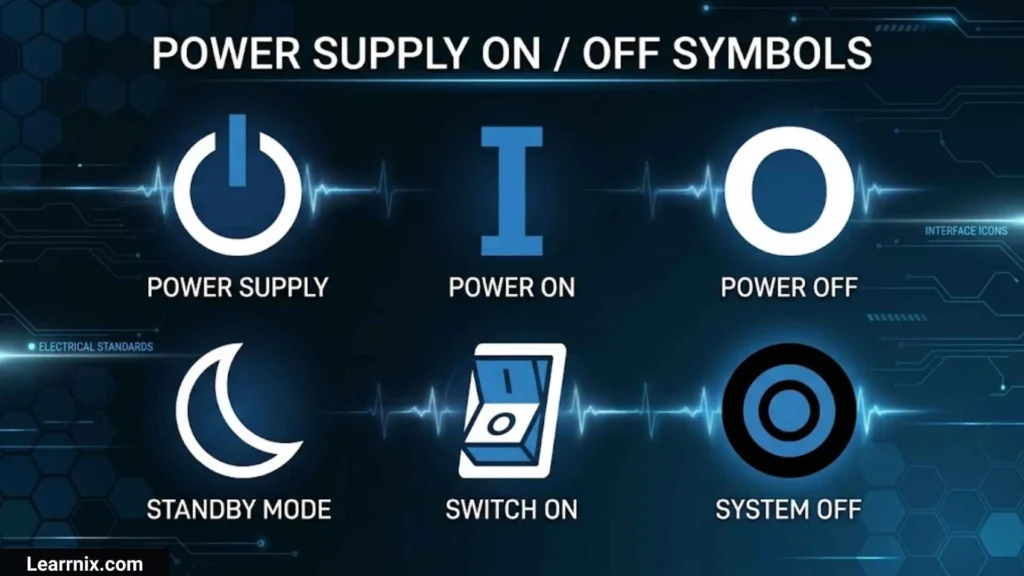
A power supply provides electrical energy to a device in the form it needs. Its on/off controls may enable the supply, control its output, or request a change in the connected device’s power state.
The most common markings include I, O, ⏻, and ⏼.
Desktop Computer Power Supply
Many desktop computers have a physical I/O switch on the rear of the power supply.
- I means the power supply is enabled.
- O means the power supply is switched off.
Turning the rear switch to I does not necessarily start the computer. The motherboard may still be waiting for the front power button to be pressed.
External Power Adapters
Many phone chargers and laptop adapters do not have an on/off switch. They begin operating when connected to a suitable electrical outlet, subject to their design and load.
Power-Off Versus Standby
A device in standby may continue using a small amount of electricity. A software power button can also leave some circuits active, whereas a separate supply switch may disable normal operation more completely.
If you are servicing a power supply, follow the manufacturer’s safety procedures. Some components can retain dangerous electrical energy even after the device has been switched off.
Small Engine On Off Symbols
Small engines power equipment such as lawn mowers, generators, chainsaws, and pressure washers. Their controls may include separate markings for ignition, engine operation, fuel, and choke.
| Marking | Typical Meaning |
| ON | Engine or ignition control enabled |
| OFF | Engine or ignition control disabled |
| I | On position on some switches |
| O | Off position on some switches |
| Choke | Cold-start mixture control |
| Fuel indicator | Identifies a fuel-related function, depending on design |
Some machines use words instead of symbols, while others use pictograms or a simple rocker switch. There is no single marking that identifies every small-engine control.
Switching off the ignition does not make every part of the machine safe to handle. Blades can continue moving, engine parts can remain hot, and fuel may present a hazard.
Before starting or stopping a small engine, follow the manufacturer’s instructions for the ignition, choke, throttle, and fuel controls. Their operating sequence varies between models.
International Electrical On Off Symbols
International power markings help manufacturers communicate device functions across languages. Unicode also provides dedicated characters that can be copied into websites, documents, and technical guides.
The following Unicode details are useful when identifying the main power symbols.
Unicode 18.0.0
+1
| Symbol | Unicode | Official Unicode Name |
| ⏻ | U+23FB | POWER SYMBOL |
| ⏼ | U+23FC | POWER ON-OFF SYMBOL |
| ⏽ | U+23FD | POWER ON SYMBOL |
| ⏾ | U+23FE | POWER SLEEP SYMBOL |
| ⭘ | U+2B58 | HEAVY CIRCLE |
The official character name and the practical function of a symbol are related, but they are not exactly the same thing. For example, the POWER SYMBOL is widely recognized as a power-control icon, while its actual behavior depends on the device.
When creating technical documentation, use the character that matches the intended function. If the distinction between off, on, and sleep is important, include a written label as well.
Binary On Off Symbols
Binary is a number system that uses two digits: 0 and 1. These values commonly represent inactive and active states in computing and digital electronics.
- 0 — Often represents off, false, or an inactive logical state.
- 1 — Often represents on, true, or an active logical state.
The line-and-circle design of familiar power markings is associated with this binary convention. This makes I and O easy to remember on conventional switches.
Binary values are also used in software settings. A program might store a value of 1 when a feature is enabled and 0 when it is disabled. The meaning depends on the program or circuit.
One important distinction is that a logical zero does not necessarily mean that a device has no electrical power. A digital signal’s logical state and the physical power state of the entire device are different concepts.
Computer On Off Symbols
Computer on/off symbols appear on desktop cases, laptops, monitors, keyboards, and other electronic devices. The most familiar is ⏻, which generally identifies a power button.
| Symbol Or Control | Typical Function |
| ⏻ | Power button |
| I/O switch | Enables or disables a power supply |
| ⏾ | Sleep-related power function |
| Battery icon | Displays battery or charging information |
| ⏯ | Play/pause toggle, not a general power-off symbol |
On desktop computers, the front power button and rear power supply switch serve different purposes. The front button normally requests a power-state change, while the rear switch enables or disables the supply.
On laptops, pressing the power button briefly may initiate sleep, display a menu, or perform another action according to the operating system’s settings. Holding the button may force a shutdown on some models, but that can cause unsaved work to be lost.
For digital interfaces, use a recognizable icon with an accessible text label. This helps users distinguish power, sleep, restart, and shutdown functions.
Frequently Asked Questions
What is the most common on off symbol?
The most recognizable general power-control symbol is ⏻. On traditional physical switches, I commonly indicates on and O indicates off.
What does the symbol ⏼ mean?
The character ⏼ has the official Unicode name POWER ON-OFF SYMBOL. It represents a combined power on/off function, although the precise behavior depends on the equipment.
Which Unicode symbol represents power off?
The character ⭘, Unicode U+2B58, is identified as HEAVY CIRCLE and is referenced for the power-off function. The letter O is also commonly used for off on physical switches.
Can I use on off symbols on a website?
Yes. You can copy and paste characters such as ⏻, ⏼, ⏽, and ⏾ into website content, provided your font and platform support them. Use text labels when an icon’s meaning might be unclear.
Does switching a device off disconnect it from electricity?
Not always. Some devices remain in standby or retain stored electrical energy after being switched off. Follow the manufacturer’s instructions before unplugging, opening, or servicing equipment.
Conclusion
On off symbols make power controls easier to recognize on electrical equipment, computers, appliances, and small engines. The most useful characters include ⏻ for general power control, ⏼ for combined on/off control, ⏽ for the on function, and ⏾ for sleep-related power control.
Traditional switch markings such as I and O are also widely used. Understanding these markings helps you distinguish between an active state, an off position, and a standby function without confusing them with circuit-diagram symbols.
For websites and documents, Unicode power symbols offer a convenient way to label or explain controls. For electrical work, always check the equipment documentation and relevant safety requirements before acting on a symbol.

I am Michael Carter, an educational content creator who believes that knowledge has the power to transform lives.
I create resources focused on modern education, digital learning, and building essential skills for the future.
I love helping readers discover simple and effective ways to improve their learning journey.
Books by Michael Carter:
- Modern Education for Tomorrow’s World
- Learning Skills for Future Success
 Charlotte Anderson