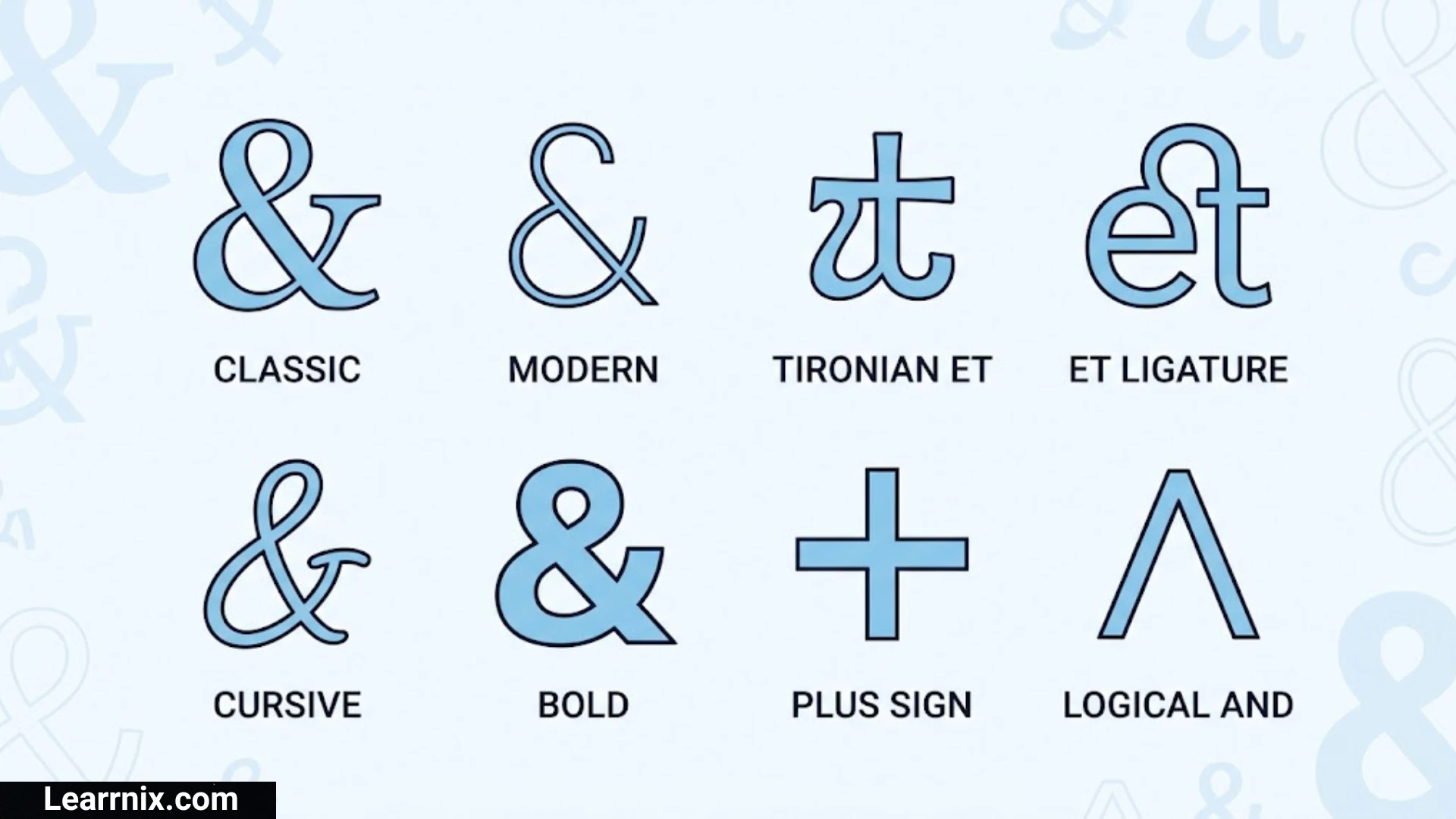
The and symbol (&), commonly known as the ampersand, is one of the most recognizable characters used in written communication. It represents the word “and” and helps connect two words, names, phrases, or ideas using a single character. You can find it in business names, website titles, social media bios, logos, books, and everyday messages.
Many people search for and symbols to copy and paste into their documents, usernames, captions, and creative designs. However, the ampersand has several variations, including decorative styles, handwritten forms, and special Unicode characters. Understanding these differences makes it easier to choose the right character for your needs.
In this guide, you will find different symbols, their meanings, Unicode information, keyboard shortcuts, font styles, and practical examples. Whether you need a simple ampersand for writing or a decorative version for social media, you can find useful characters and learn how to use them correctly.
And Symbols Copy And Paste
If you need an ampersand for a message, document, website, or social media profile, you can copy the characters below. The standard ampersand is the most commonly used version, but other forms are available for different design purposes.
Basic And Symbols
| Symbol | Name |
| & | Ampersand |
| & | Fullwidth Ampersand |
| ﹠ | Small Ampersand |
| ⅋ | Turned Ampersand |
| ∧ | Logical And |
| ⋀ | N-Ary Logical And |
| ⩓ | Intersection Above |
These characters do not all have the same meaning. The standard ampersand (&) represents the word “and,” while ∧ is a logical operator used in mathematics.
Decorative And Symbol Combinations
You can also combine the ampersand with other Unicode characters to create attractive text.
- ♡ & ♡
- ✨ & ✨
- ★ & ★
- ♥ & ♥
- ❀ & ❀
- ꧁ & ꧂
- ✧ & ✧
- ♡ You & Me ♡
These are decorative combinations rather than separate ampersand characters.
How to copy: Select the symbol you want, press Ctrl + C on Windows or Command + C on Mac, and paste it into your preferred application.
And Symbol Meaning
The symbol & is called an ampersand. Its primary meaning is “and.” It is used to connect two or more words, names, or expressions.
For example:
- Food & Drinks
- Salt & Pepper
- You & Me
- Arts & Crafts
- Research & Development
- Health & Fitness
- Design & Creativity
The ampersand communicates the same basic connection as the word “and” but takes up less space.
Its meaning can also depend on the context. In business names, it connects two partners or concepts. In programming, it can perform specific operations. In mathematical logic, a related character, ∧, represents a logical AND operation.
The ampersand is therefore useful in both everyday writing and specialized technical fields.
Ampersand Symbol Name And History
The official name of the character & is AMPERSAND in Unicode. Its history goes back to Latin writing.
The symbol developed from a handwritten combination of the letters E and T, which formed the Latin word “et.” The word “et” means “and.”
Over time, writers began joining these letters into a single character. Different handwriting and typography styles gradually produced the recognizable ampersand used today.
The name “ampersand” has an interesting origin as well. In older English educational traditions, students recited the alphabet and sometimes added the symbol & at the end. They described it as “and per se and,” meaning “& by itself means and.” Over time, this phrase developed into the word ampersand.
Today, the character is used worldwide in writing, branding, publishing, and digital communication.
Different Types Of And Symbols
The ampersand has several visual and technical variations. Some are designed for typography, while others are used in mathematical or logical expressions.
Here are some useful distinctions:
| Symbol | Character Name | Main Purpose |
| & | Ampersand | Ordinary writing |
| & | Fullwidth Ampersand | Fullwidth typography |
| ﹠ | Small Ampersand | Small text presentation |
| ⅋ | Turned Ampersand | Specialized notation |
| ∧ | Logical And | Mathematical logic |
| ⋀ | N-Ary Logical And | Advanced logic notation |
The standard ampersand is the best choice for normal English writing. The fullwidth version is useful in certain East Asian typography layouts, while the logical AND symbol belongs to mathematical notation.
Do not assume that every character that looks similar to an ampersand has the same meaning.
And Symbol Unicode And HTML Code
Unicode gives characters unique code points so computers can recognize and display them consistently.
The standard ampersand has the following Unicode information:
| Property | Information |
| Character | & |
| Official Unicode Name | AMPERSAND |
| Unicode Code Point | U+0026 |
| Decimal Value | 38 |
| HTML Entity | & |
| HTML Decimal Reference | & |
| HTML Hexadecimal Reference | & |
The HTML entity is especially important when creating websites.
For example, if you want to display an ampersand in HTML text, you can write:
&
The browser displays it as:
&
This is useful because the ampersand has a special role in HTML syntax. It introduces character references and is also used in URL query strings.
For example, a URL may contain:
?name=John&age=25
Here, the ampersand separates two query parameters.
And Symbol In English Grammar
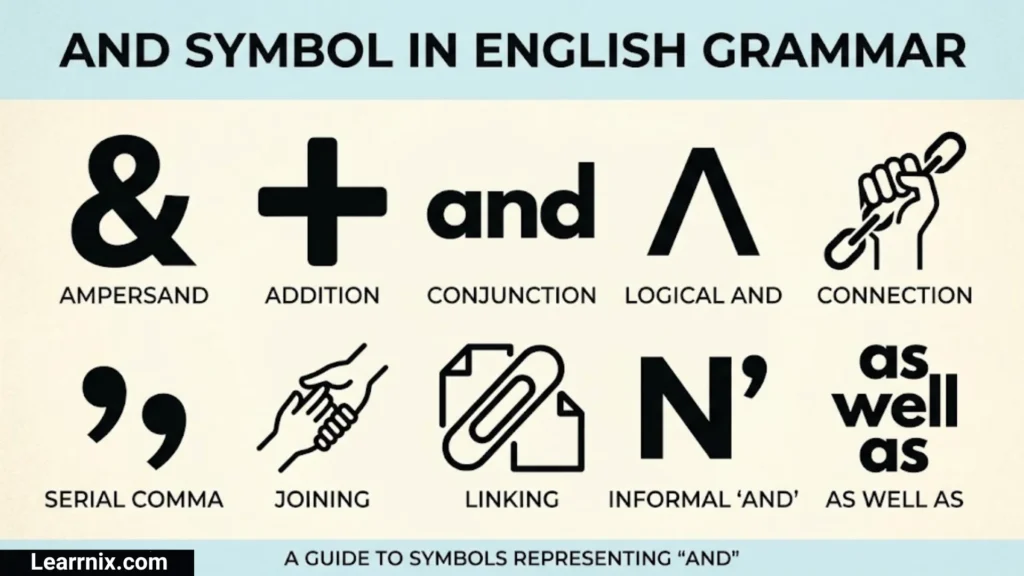
In English grammar, the ampersand represents the coordinating conjunction “and.” This conjunction connects words, phrases, and clauses that have a relationship.
For example:
- John & David
- Books & Notebooks
- Reading & Writing
- Coffee & Tea
However, the ampersand is not normally used as a replacement for “and” in every English sentence.
Informal example:
Tea & coffee are available.
Formal example:
Tea and coffee are available.
In academic writing, professional reports, and formal essays, writing the complete word “and” is generally preferred unless a specific style guide or official name requires the ampersand.
And Symbol In Writing
The ampersand is widely used in different forms of written communication. It makes short expressions more compact and can improve the appearance of titles and headings.
Common Writing Uses
1. Business Names
Many companies use the ampersand to connect names or business partners.
Example: Smith & Associates.
2. Headings And Titles
It is commonly used in short headings.
Example: Tips & Tricks.
3. Informal Messages
People use it in quick messages and conversations.
Example: You & me forever.
4. Invitations
Wedding invitations and event cards often use the symbol because it creates an elegant appearance.
Example: Sarah & Michael.
5. Creative Content
Bloggers and designers use it in titles, posters, and promotional materials.
The key is to consider readability. If a complete sentence becomes confusing with an ampersand, use the word “and” instead.
And Symbol In Mathematics And Logic
The standard ampersand (&) is not the usual symbol for logical AND in mathematical notation. The logical AND operator is commonly represented by ∧.
It indicates that two conditions must both be true for the complete statement to be true.
For example:
P ∧ Q
This expression means that both P and Q must be true.
Difference Between Common Logical Symbols
| Symbol | Name | Meaning |
| ∧ | Logical AND | Both statements are true |
| ∨ | Logical OR | At least one statement is true |
| ¬ | Logical NOT | Negates a statement |
| → | Implies | One statement implies another |
| ↔ | If And Only If | Both statements have equivalent truth values |
| & | Ampersand | Represents “and” in ordinary writing |
In programming and computer science, the ampersand can also have special meanings. For example, in some languages, & is used for bitwise AND, while && represents logical AND.
The exact behavior depends on the programming language.
And Symbol On Keyboard
You do not need to install a special font or application to type the standard ampersand. It is available on most English keyboard layouts.
How To Type & On A Windows Keyboard
On a standard US English keyboard:
- Find the number 7 key on the top number row.
- Press and hold the Shift key.
- Press 7 while holding Shift.
- Release both keys.
The ampersand (&) will appear on your screen.
How To Type & On A Mac Keyboard
The shortcut on a standard Mac English keyboard is also:
Shift + 7
This produces the standard ampersand character.
Keyboard layouts can differ depending on the selected language, so the shortcut may not be identical on every device.
How To Type And Symbol On Windows And Mac
Apart from using the keyboard shortcut, you can insert the ampersand through character tools and text editors.
On Windows
You can use the following methods:
- Press Shift + 7 on a standard English keyboard.
- Copy & from this article.
- Use the Windows Character Map to locate the character.
- Insert the character through your application’s symbol menu if available.
On Mac
You can use:
- Shift + 7 on a standard English keyboard.
- Copy and paste the symbol.
- Open the Character Viewer using Control + Command + Space and search for ampersand.
The easiest method for most users is the keyboard shortcut.
And Symbol On iPhone And Android
Mobile keyboards also include the standard ampersand. You can access it through the numbers and punctuation layout.
On iPhone
- Open Messages, Notes, or another application.
- Tap a text field to open the keyboard.
- Press the 123 key.
- Find the & character.
- Tap it to insert the symbol.
On Android
- Open an application where you can type.
- Tap the text field.
- Press the ?123 or equivalent symbol key.
- Find the ampersand.
- Tap it to add the character.
The exact keyboard layout depends on your language, keyboard application, and device.
If you cannot find the symbol, simply copy & from this page and paste it into your message.
And Symbol In Different Fonts
The ampersand can look very different depending on the font used. Some fonts create elegant, flowing shapes, while others display a simple and modern character.
Here are some popular font categories:
| Font Style | Appearance |
| Serif | Traditional and elegant |
| Sans Serif | Clean and modern |
| Script | Handwritten and flowing |
| Calligraphy | Decorative and artistic |
| Monospace | Equal character spacing |
| Display | Creative and attention-grabbing |
A font does not necessarily change the underlying Unicode character. It changes how that character is visually displayed.
For example, an ampersand in a traditional serif font may have decorative curves, while a sans-serif font may display it with simpler lines.
When choosing a font, consider where the symbol will appear. A decorative ampersand may work well in a logo, but a simple version is often better for documents and professional communication.
Fancy And Symbols For Instagram And Social Media
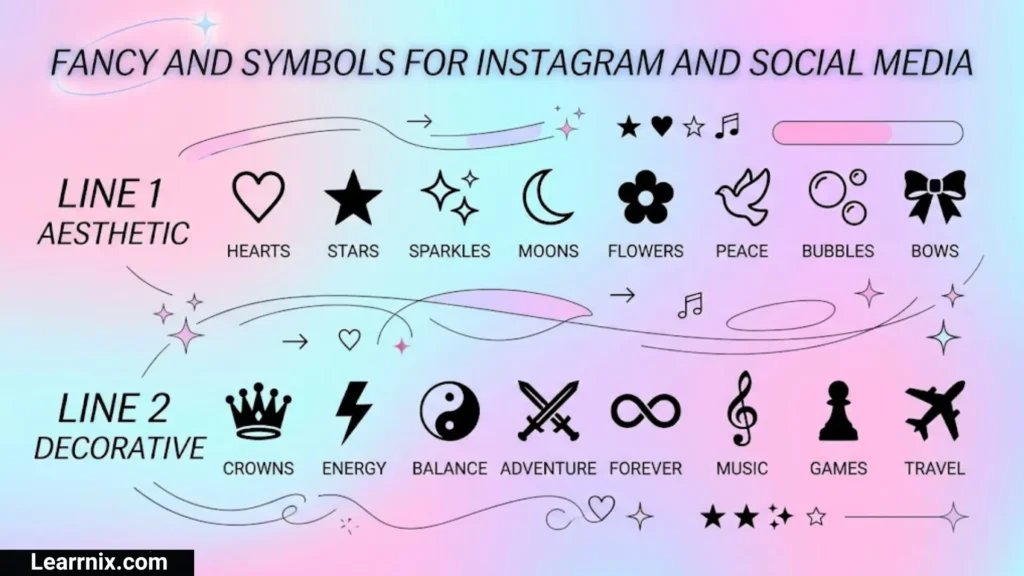
The ampersand can make social media bios, usernames, captions, and profile descriptions look more attractive.
Although the standard character is already stylish, combining it with decorative Unicode characters creates more creative designs.
Fancy Ampersand Combinations
- ✨ & ✨
- ♡ & ♡
- ★ & ★
- ❀ & ❀
- ღ & ღ
- 『&』
- ꧁ & ꧂
- ୨ & ୧
- ♡ Love & Life ♡
- ✧ Dreams & Goals ✧
Social Media Examples
Instagram Bio:
Dreams & Happiness ✨
Facebook Caption:
Friends & Memories ❤️
WhatsApp Status:
You & Me Forever ♡
Pinterest Description:
Style & Creativity ✿
These combinations are useful for creating visually appealing text without using images.
Keep in mind that some platforms restrict special characters in usernames. The standard ampersand may work in bios and captions but may not be accepted in every username field.
Cute And Symbols And Text Combinations
Cute ampersand combinations are popular among people who enjoy decorative writing, aesthetic usernames, and stylish messages.
You can combine & with hearts, flowers, stars, and other symbols to create different looks.
Cute And Symbols
- ♡ & ♡
- ♥ & ♥
- ❀ & ❀
- ✿ & ✿
- ✧ & ✧
- ☆ & ☆
- ღ & ღ
- ❥ & ❥
Aesthetic Text Combinations
- ♡ You & Me ♡
- ✨ Love & Light ✨
- 🌸 Flowers & Dreams 🌸
- ☆ Stars & Wishes ☆
- 🎀 Beauty & Grace 🎀
- ☁️ Clouds & Dreams ☁️
These are combinations of separate text characters and emojis. They are not official ampersand variations.
You can copy them directly or create your own combinations using the standard & character.
Handwritten And Symbol Styles
A handwritten ampersand can look simple, artistic, or decorative depending on the writing technique.
The traditional ampersand has a curved appearance because it developed from connected letterforms. Modern handwritten versions can be written with fewer strokes or more elaborate curves.
Popular Handwritten Styles
Traditional Style: A recognizable ampersand with connected curves.
Cursive Style: A smooth and flowing character suitable for personal notes.
Calligraphy Style: An artistic design with extended strokes and decorative details.
Minimal Style: A simple ampersand with fewer curves and clean lines.
Modern Style: A creative form used in graphic design and branding.
If you want to create your own handwritten ampersand, practice drawing the character slowly. Focus on smooth curves and balanced proportions. You can also experiment with different pen sizes and writing angles.
And Symbol In Business Names And Logos
The ampersand is frequently used in business names and logo designs because it connects two ideas in a compact and recognizable way.
For example:
- Johnson & Johnson
- Dolce & Gabbana
- Barnes & Noble
- Marks & Spencer
These names show how the ampersand can connect people, brands, or business identities.
Why Businesses Use The Ampersand
- It makes names shorter.
- It creates a recognizable visual element.
- It connects two partners or business concepts.
- It can make a logo look balanced.
- It works well in both traditional and modern typography.
When designing a logo, the ampersand should match the style of the other letters. A script ampersand may suit a luxury brand, while a geometric version may work better for a modern technology company.
Difference Between Ampersand (&) And Logical And (∧)
The ampersand and logical AND symbol may seem related because both communicate the idea of “and.” However, they have different purposes.
| Feature | Ampersand (&) | Logical And (∧) |
| Name | Ampersand | Logical AND |
| Main Purpose | Written communication | Mathematical logic |
| Appearance | & | ∧ |
| English Use | Replaces the word and | Not normally used in sentences |
| Technical Use | Programming and text | Logic and mathematics |
For example:
Ampersand: Food & Drinks.
Logical AND: P ∧ Q.
The first example connects two words. The second expresses a logical relationship in which both statements must be true.
Using the correct character helps prevent confusion, especially in educational, mathematical, and technical writing.
Common Mistakes When Using And Symbols
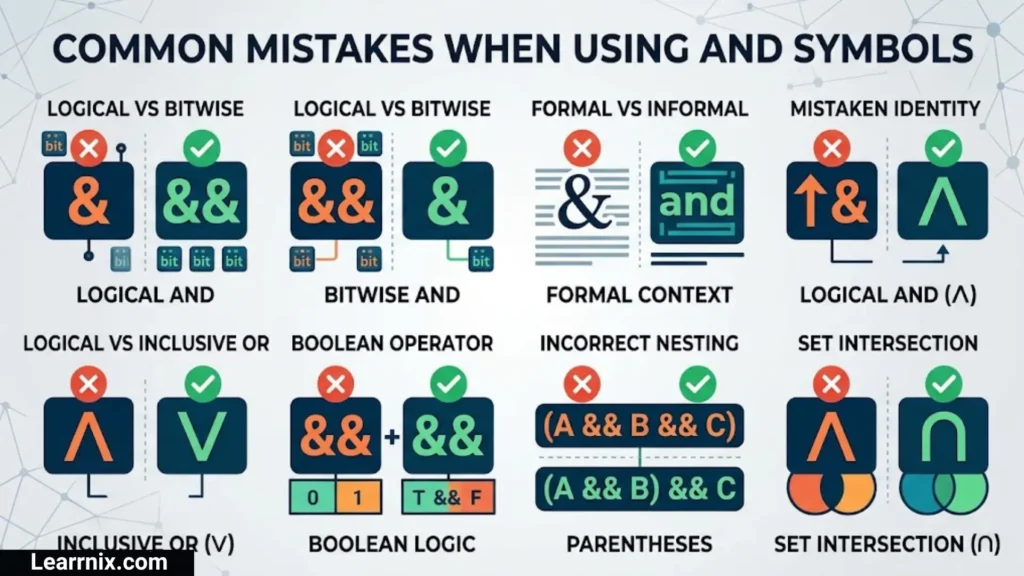
Although the ampersand is easy to recognize, people sometimes use it incorrectly.
Here are some mistakes to avoid:
1. Using It Everywhere
Replacing every occurrence of “and” with & can make formal writing look unprofessional. Use the complete word in ordinary sentences when appropriate.
2. Confusing & With ∧
These characters have different purposes. The ampersand is mainly a punctuation character, while ∧ is a logical operator.
3. Forgetting HTML Encoding
When writing HTML, use & when you need to display a literal ampersand in text. This helps prevent conflicts with HTML character references.
4. Using Decorative Characters In Important Documents
Fancy symbols may not display consistently across every application. Use the standard ampersand for professional documents whenever possible.
5. Assuming All Platforms Accept It
Some websites allow ampersands in descriptions and captions but restrict them in usernames, URLs, or other fields.
Choosing the correct version according to the context makes your writing clearer and more reliable.
FAQs
What is the & symbol called?
The & symbol is called an ampersand. It represents the word “and” and is commonly used in business names, titles, headings, and everyday writing.
How do I copy and paste the ampersand symbol?
Select the & character from this article, press Ctrl + C on Windows or Command + C on Mac, and paste it using Ctrl + V or Command + V.
What is the Unicode code for the and symbol?
The standard ampersand has the Unicode code point U+0026. Its official Unicode name is AMPERSAND, and its decimal value is 38.
Is the ampersand symbol allowed in usernames?
It depends on the platform. Some social media services allow it in profile descriptions and captions but restrict it in usernames and account URLs.
What is the difference between & and &&?
The & character is an ampersand and can represent “and” in writing. In several programming languages, && is used as a logical AND operator, although the exact rules depend on the language.
Conclusion
The ampersand (&) is a useful character that represents the word “and” in a shorter and more visually compact form. Its history, typography, and everyday applications make it an interesting part of written communication. From business names to creative designs, it continues to have an important place in modern writing.
There are several ways to use the character, including standard text, decorative combinations, handwritten styles, and different fonts. Understanding its Unicode value, keyboard shortcuts, HTML entity, and difference from the logical AND symbol also helps you use it correctly in digital content.
You can copy the ampersand and its decorative combinations directly from this guide. Choose the standard version for clear communication and professional writing, or use creative styles when designing social media bios, captions, logos, and decorative text.

I am Daniel Harper, an education enthusiast and writer who enjoys creating helpful content to make learning more accessible and engaging.
I focus on sharing knowledge about effective study methods, educational growth, and skills that help learners succeed in a changing world.
Through my writing, I aim to inspire students to explore new ideas and develop a passion for learning.
Books by Daniel Harper:
- The Path to Lifelong Learning
- Unlocking Your Learning Potential
 Charlotte Anderson
 Michael Carter